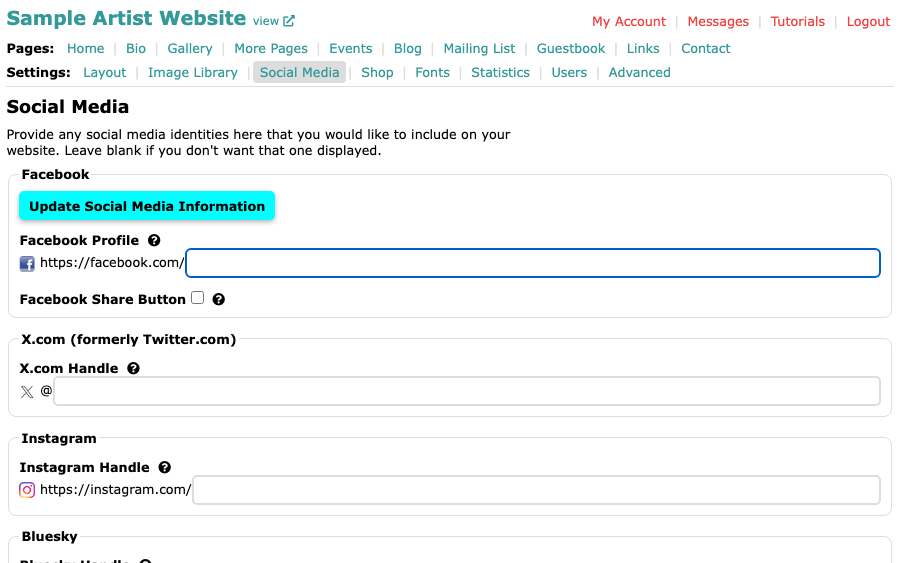
The Social Media page asks for your name on each network, not a whole web address. Beside every box is the start of the address, such as https://instagram.com/, and you type only what comes after it. The steps for filling in the page are in Add Social Media Links to Your Website.
Where to look
Every network shows your name in the address of your own page. Sign in to the network, open your own profile or page, and read the address in your browser's address bar. What comes after the network's own address is the part you need.
For example, if your profile address is https://instagram.com/yourname, you type yourname.
You can also paste the whole address into most boxes. ArtSites keeps only the part after the network's name. Bluesky is the exception: type only the handle itself.
What goes in each box
| Box | What to type |
|---|---|
| Facebook Profile | The part after https://facebook.com/, for your personal profile or your Facebook Page. |
| X.com Handle | Your handle without the @. |
| Instagram Handle | Your Instagram handle. |
| Bluesky Handle | Your whole handle, including the domain such as .bsky.social if it has one, without the @. For example, artistname.bsky.social. |
| Pinterest Username | Your Pinterest username. |
| LinkedIn Handle | The part after https://linkedin.com/in/. |
| Vimeo URL | The part after https://vimeo.com/. |
YouTube
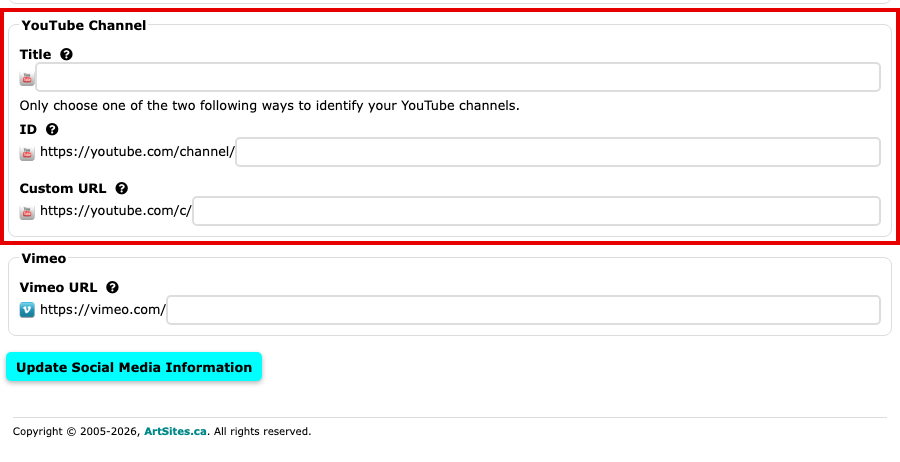
Under YouTube Channel, type the Title of your channel as you want visitors to see it. Then identify the channel one of two ways, and use only one:
- ID: your channel ID, the part after https://youtube.com/channel/. It is a long string of letters and numbers that starts with UC. To find it, sign in to YouTube and look under Advanced settings in your channel settings, as YouTube's help describes.
- Custom URL: your channel's @handle, such as
@yourname, which most channels now have. Type it with its @, even though the box begins with https://youtube.com/c/: ArtSites links a handle ashttps://youtube.com/@yourname. This box also takes an older custom URL, the part after https://youtube.com/c/; YouTube no longer creates new ones.
If your channel has a handle, Custom URL is the easier choice: you can see your handle on your channel's page.
You can paste your channel's whole address into either box, such as https://youtube.com/@yourname or https://youtube.com/channel/UCxxxxxxxx, and ArtSites keeps only the part it needs. If you type a handle into ID, ArtSites moves it to Custom URL when you save, as long as Custom URL is empty.
If a network changes how it shows your address, its own help is the best place to look. Each box on the Social Media page also has a help icon explaining what it wants.